Showing posts with label live writer. Show all posts

Sep 12, 2007

Windows Live Writer Beta 3 Bug with Preformatted Sections

Well, this is a bit sad, but I guess it's still a beta.

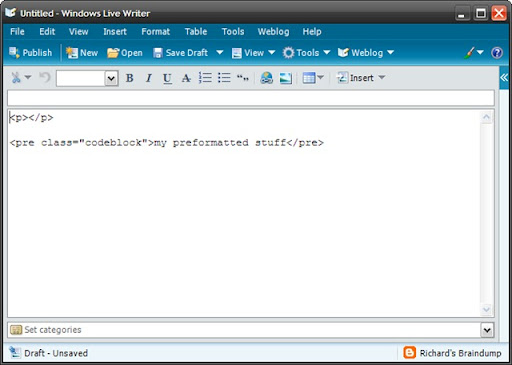
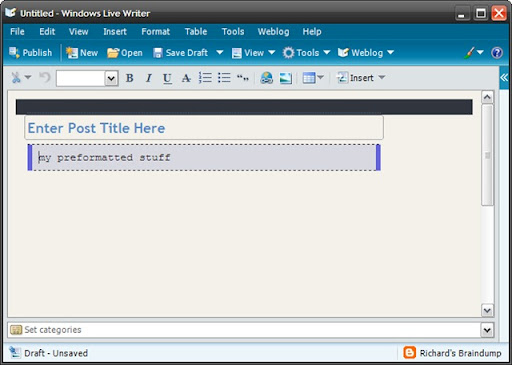
I was just entering some code sample in a blog entry via Windows Live Writer when it removed the line breaks from all my preformatted code sections (ie the <pre> sections).

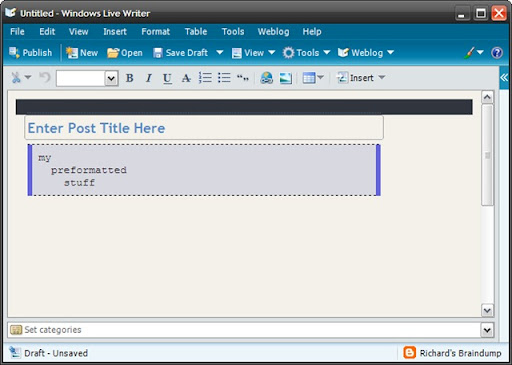
Here's some screen shots of the bug in action:

1. Entering the <pre> code:
wlwb3_bug1

2. Switching back to Web view (F11)

wlwb3_bug2

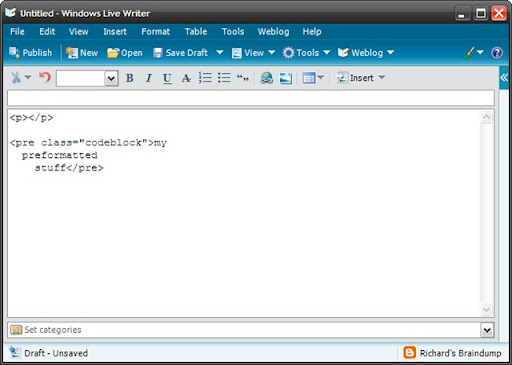
3. Switching back to HTML view (Shift+F11).  Nothing else was pressed.  You can see the <pre /> section is now messed up.
wlwb3_bug3

4. And back to Web view just to make sure it's been butchered (F11 again)
wlwb3_bug4

A quick look on google doesn't show anything about it.  Guess I'll go submit a bug report.
Sep 6, 2007

Live Writer Beta 3 is Now Available (plus more)

You can get more information and the download link from the Live Writer Blog post. You should know that the install does take quite a while to run through, and it installs new betas for other Live products you have installed.

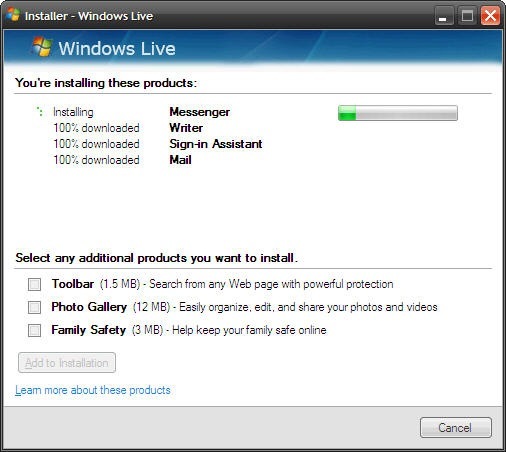
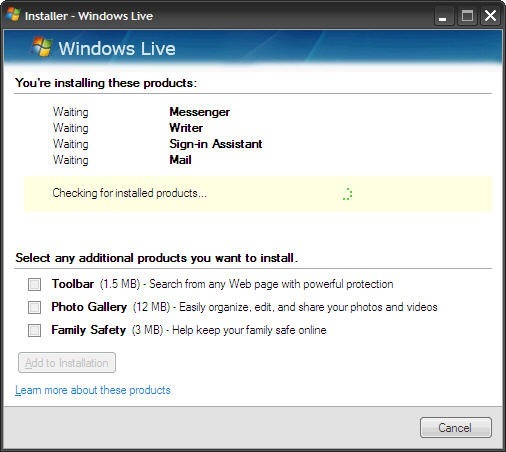
The main new feature for Beta 3 is the ability to include images for blogger posts using Picasaweb. Below are screen shots of the install process and the updated live writer.

liveinstall liveinstall2

lwbeta3

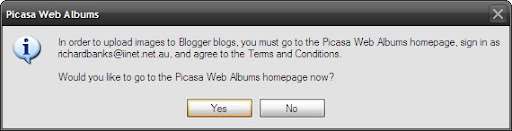
P.S. If you've not used Picasaweb before you'll be prompted with the following when you try uploading images for the first time:

lwbeta3 - picasaweb

Just follow the prompts and everything will appear. If you've ever uploaded images to your blog via blogger before they will appear in your picasaweb album as well.

May 31, 2007

Windows Live Writer Beta 2

Hooray!  I thought it was dead...

Windows Live Writer beta 2 has just been released.  Go get it - it's got cool new stuff including support for Blogger labels!!

I'm excited! :-)

P.S. This was written in Live Writer!

Nov 11, 2006

Another Windows Live Writer update

Personally, I love Windows Live Writer.  Being able to write blog entries on the train is great, editing in your web logs styles is cool and it's also a neat way of capturing notes during meetings.

Over the last few months there have been a number of occassions where the blogger beta changes have broken the live writer betas.  The Live Writer team have done a great job in responding quickly when blogger changes break something else.  They've also fixed an annoyance in using the keyboard to select sections of text (selecting text with shift+left would work, but moving back with shift+right wouldn't).

Yet another update for live writer is out which fixes the problems I was having previously.  It's also a little different in that it has a 1.0 version number (which is strange for a beta) and the install takes you to an install-success web page.

Other than that - let's hope there's not many more breaking changes.  Blogger beta is feature complete so that should help things settle down somewhat - well, here's hoping anyway.

For now - Back to train blogging again!! Yay!

Oct 24, 2006

Blogger beta and Windows Live Writer beta

Well, it's broken again - very frustrating.

The blogger beta seems to have changed something that stops windows live writer from connecting to the site. I've tried posting, listing and even re-adding the blog but I just keep getting an error telling me I can't connect to the remote site.

I guess it's wait a little bit and see if the guys on the live writer team can't get a fix out soon-ish. Until then, it's back to cut & paste of the HTML into the blogger editor.

Sep 29, 2006

Live Writer Updated

The Live Writer beta has been updated (yay!).

It now supports the blogger beta, so I guess I'll go download it now and see what the other changes are like.

Many thanks go to the writer team for listening to the community :-)


Update: Blogger changed their own beta and caused the Live Writer connect to fail.  There's a post at http://jcheng.wordpress.com/2006/09/28/blogger-beta-workaround to explain how to fix this problem.

(P.S. The update was written in Live Writer to prove it all works now).

Sep 11, 2006

Unsolicited updates from the live writer team

Very impressive! I posted recently about how you can't use live writer with the blogger beta. Well I got a comment from one of the team indicating it won't be long till they get it all sorted out.

I'm surprised and impressed because it means people in the live writer team not only have time to read up on what others are saying about their product but also care enough to update people. I can only say really well done! They're setting a great example on how to support and help people in the community without requiring a support contract, inanely telling people to read the FAQ or trying to extract personal information so that they can on-sell it to mass-marketers. If only some of the other players in the industry would take notice!

Sep 8, 2006

Blogger beta thoughts

Now that I've had a bit of time to play with the blogger beta I've got to say that the new features are quite cool.

A few days ago the blogger team made some changes to allow editing of the html behind the new templates. This meant I could change to the new template but keep pretty much the same layouts as what I had with the old templates, including all the little add-ons like the librarything books and the del.icio.us tags.

It's really nice to be able to customise the new templates, add to and change the order of sidebar elements, etc. It's also nice to be able to tag posts without having to resort to the various workarounds that have been published on the net.

I'm looking forward to see what else they add in the beta. Good work blogger.

Oh, by the way, Windows Live Writer doesn't work with the beta so I'm back to writing entries via the interface. Such is life - I'm sure it won't be long before that's sorted out.

Aug 24, 2006

Windows Live Writer

I've just downloaded and installed the Windows Live Writer beta from Microsoft.

I've gotta say - it's a nice piece of work. It analysed my blog, figured out I've got a blogger account and downloaded all my style sheets, etc so that I edit posts in the actual format they'll be shown on the blog.

This is so much better than doing it via the blogger tool, which is just a web based rich text editor, that gives some basic formatting, but not a genuine live preview of the post you're writing.

I'll have to spend some more time playing, but this is so cool - I think I'm sold :-)